Pass the Apple Messages for Business Experience Review
Every rule Apple checks before an Apple Messages for Business account goes live, how to meet each one on Blooio, what to put in the screen recording, how feedback rounds work, and how experience drift is monitored after launch.
Before a brand can talk to customers on Apple Messages for Business, Apple reviews the whole experience: not just whether messages deliver, but whether the bot is honest, fast, and helpful, whether a person is always reachable, and whether each interactive feature is used the way Apple intends. That evaluation is the Experience Review. This page is Blooio's field guide to passing it on the first try, and staying compliant afterwards.
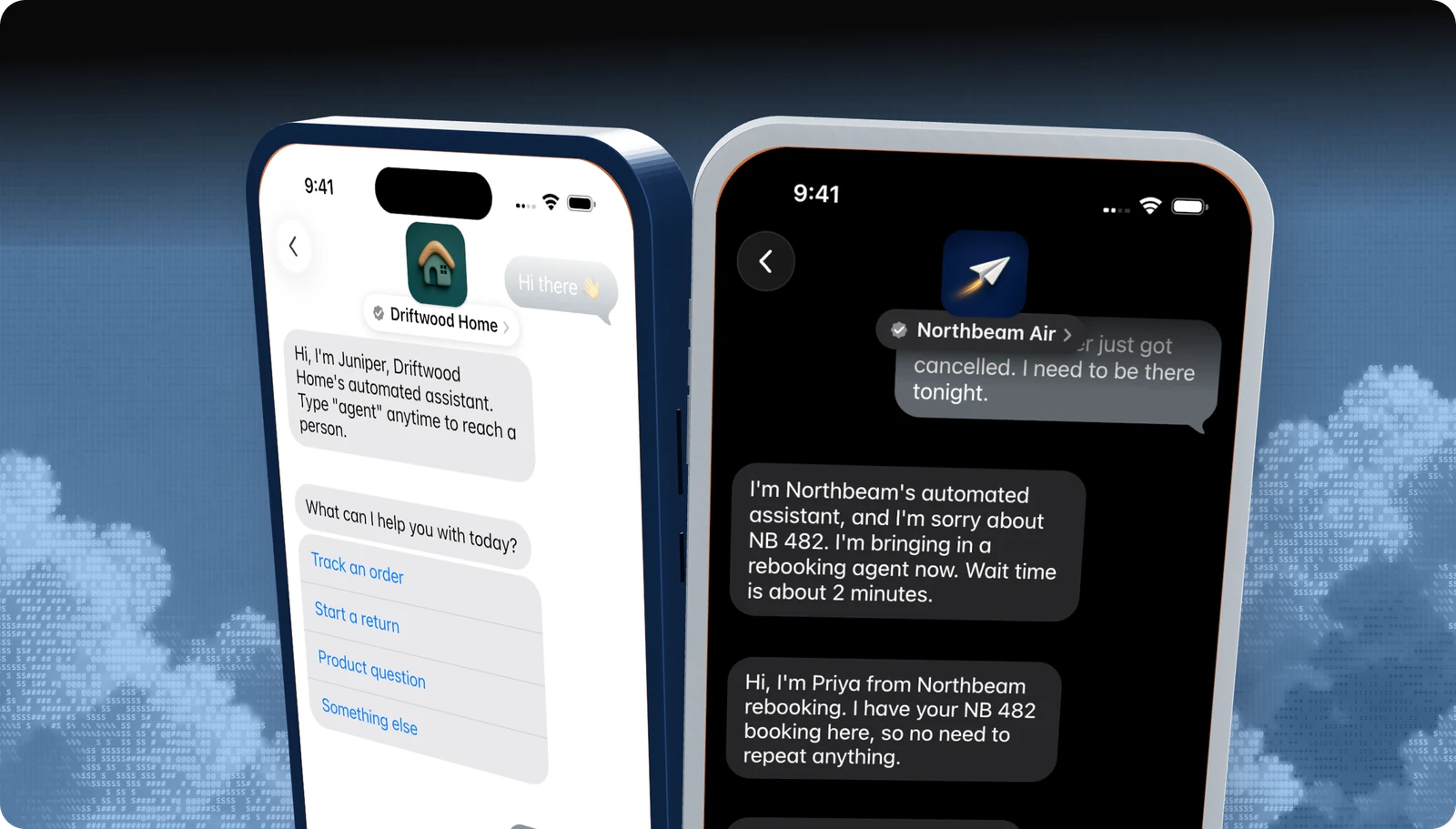
Skip all of this
Blooio's managed bot already meets every rule on this page.
Automated disclosure, sub-five-second welcome, triage, human-in-the-loop handoff, wait times, keyword handling, Rich Links, PII gating, and out-of-hours replies are built in. Most approved businesses we launch pass in a single round. We record and submit the review for you, then watch for drift after you go live.
What Apple is actually checking
The review covers the journey end to end, in your internal test account: the entry point a customer taps, the automated welcome, how intent is captured, each use case, the move to a live agent, out-of-hours behaviour, and how the conversation wraps up. Reviewers judge tone, clarity, and flow as much as functionality. A build that works but reads like an SMS blast, dumps raw links, or leaves the customer stuck will fail.
| Area | What a reviewer looks for |
|---|---|
| Honesty | The bot says it is automated, every agent gives a name, and transfers are announced. |
| Speed | The first reply lands within seconds and typing indicators show activity. |
| Always a way forward | No dead ends: every path resolves, escalates, or offers more help. |
| Native features | Taps instead of typing: Quick Replies, List Pickers, Time Pickers, Forms, Apple Pay, sign-in, and Rich Links where they fit. |
| Privacy | Personal details are requested only when needed, after a yes/no check. |
| Correct naming and policy | "Apple Messages for Business", policies as Rich Links, no SMS boilerplate. |
Apple's own summary lives at Pass the Experience Review. The rest of this page turns it into an implementation checklist.
How the review works
Only your Messaging Service Provider can submit. With Blooio as your MSP the loop looks like this:
Click any step for detail. Drag to pan; use the controls to zoom or fit.
- Finish the build. Apple does not review partial experiences. Every flow, entry point, and handoff must work in the test account.
- Test on a real iPhone. iPhone is the primary surface. Test on a Mac as well, because layout and interaction differ.
- Blooio submits. We capture an iPhone screen recording of the complete journey and send it to Apple with a summary of what each segment demonstrates.
- Apple responds to the MSP. We forward every item, explain it, and fix it with you.
Most brands need one to three rounds. Brands that arrive with a complete, device-tested build usually finish in one or two. Brands on Blooio's managed bot typically finish in one, because the bot was built against this checklist.
The checklist
Each row below is something Apple evaluates, followed by the way to satisfy it on Blooio. If you use the managed bot, the right-hand column is already done.
Agent and bot
| Requirement | How to meet it on Blooio |
|---|---|
| The automated agent says it is automated at the start of every new conversation. | Managed bot: on by default. Custom bot: open every new chat with a line like "Hi, I'm Juniper, Driftwood Home's automated assistant." |
| A welcome arrives within 5 seconds of the customer's first message. | Reply from your message.received webhook handler before any slow lookups. Send the welcome first, then fetch data. |
| Every agent, human or bot, introduces themselves by name. | Agent console signature, or the agent's first message: "Hi, I'm Priya from rebooking." |
| Outside business hours, the customer learns when a person will be back. | Set response hours on the channel; the managed bot sends the out-of-hours reply automatically. |
| A transfer to a live agent is announced. | Send a short notice before routing: "I'm bringing in a rebooking agent now." |
| If a person is not available right away, give an estimated wait. | Include the queue estimate in the transfer notice. |
| The live agent introduces themselves on takeover. | Same rule as above, applied at handoff. |
| Each conversation ends with an offer of further help. | Close every resolved use case with a Quick Reply such as Anything else? / I'm all set. |
| A typing indicator precedes bot and agent messages. | POST /v4/chats/{chatId}/typing for about a second before each message. |
| The keywords agent, help, and menu do something useful. | Route agent / support / help to a person, menu / list / ? to triage, and unsubscribe / stop / spam / end to preferences. |
Conversation flow
| Requirement | How to meet it on Blooio |
|---|---|
| Show a triage menu when intent isn't known from the entry point or first message. | Skip it when the entry point carries a biz-intent-id (see entry point URLs). Otherwise send intro text, then a Quick Reply. |
| Triage is a Quick Reply with your top four reasons plus Something else. | Five options total, most common first. |
| No dead ends. Every branch resolves, escalates, or offers help. | Give every bot branch a fallback to a person. |
| Never make the customer repeat something already in the thread. | Agents see full history in Blooio; pass collected fields to the agent at handoff. |
| Never tell a customer the conversation is "closed" or "finished". | The channel is asynchronous. Say they can message back any time. |
| Ask for name, email, phone, address, or zip code with QuickType-friendly wording. | Use plain questions like "What is your email?" so iOS suggests the answer. |
| Confirm before switching language. | Start in the device locale; if another language appears, ask with a Quick Reply before switching. |
The shape of a conversation that passes: disclosure, triage, a PII gate, a transparent handoff, and an open-ended close.
Rich content and interactive features
| Requirement | How to meet it on Blooio |
|---|---|
| Every URL is a Rich Link, never a bare link. | Send rich_link content (Rich links & media). The managed bot converts URLs automatically. |
| Rich Link images match the page. Logos used as the image are under 150 px wide for an icon-style card. | Supply a page image, or a small square logo for policy links. |
| Locations go out as Apple Maps links. | Send the Maps URL as a Rich Link, not a typed address. |
| Interactive messages carry a relevant image on the request and the reply. | Set images on the received and reply bubbles and on list rows. |
| A List Picker with five or fewer options should be a Quick Reply instead. | Use quick_reply for two to five options; list_picker for more, or when rows need images and subtitles. |
| List Picker sections only when categories genuinely differ. | One section is fine. |
| Intro text precedes every interactive message, including Rich Links. | Send a text bubble first. Never put instructions inside the picker. |
Quick Reply summaryText stays short. |
A label like Option selected, not a copy of the question. |
| Satisfaction surveys use words, not 1 to 5, as a Quick Reply; long surveys use a Form. | e.g. Great / Okay / Not good. |
| Use Apple Pay and authentication in the conversation where they apply. | Apple Pay and Sign in. Never ask for card numbers in chat. |
Naming, privacy, and policy
| Requirement | How to meet it on Blooio |
|---|---|
| Call it Apple Messages for Business (short form: Apple Messages). | Never "iMessage for Business", "Apple Chat", or "Messages for Business" without Apple. |
| Don't substitute the Apple logo for the word Apple. | Write the word. |
| Privacy Policy and Terms are Rich Links, never pasted text. | One Rich Link each. |
| Send them only on the first engagement or after an update. | The managed bot tracks this per customer. |
| No SMS language ("message and data rates may apply"). | Strip legacy SMS footers from templates. |
| Request PII only when needed, after a yes/no Quick Reply. | e.g. "Is this about an order on your account?" then ask after Yes. |
Apple's Conversation Design Standards and Policies are the source for these rules.
A conversation that passes
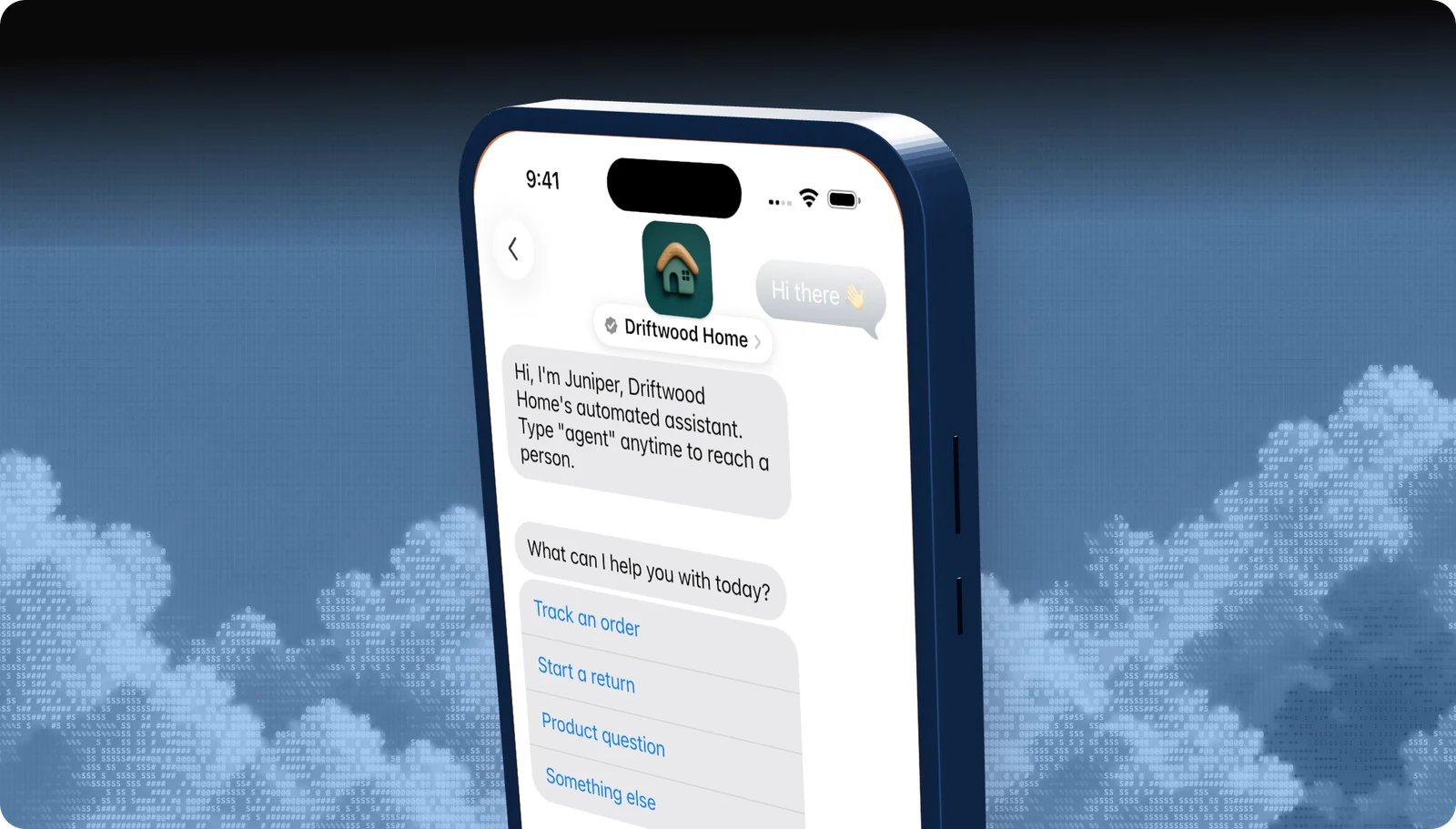
The Driftwood Home example above hits six rules in its first three bubbles: automated disclosure, a named assistant, the agent keyword, intro text before the interactive, a four-plus-one triage Quick Reply, and (further down) a yes/no gate before asking about the order. The same opening on Blooio:
curl -X POST https://api.blooio.com/v4/chats/chat_.../messages \
  -H "Authorization: Bearer bl_live_..." \
  -H "Content-Type: application/json" \
  -d '{
    "text": "Hi, I'\''m Juniper, Driftwood Home'\''s automated assistant. Type \"agent\" anytime to reach a person."
  }'

curl -X POST https://api.blooio.com/v4/chats/chat_.../messages \
  -H "Authorization: Bearer bl_live_..." \
  -H "Content-Type: application/json" \
  -d '{ "text": "What can I help you with today?" }'

curl -X POST https://api.blooio.com/v4/chats/chat_.../messages \
  -H "Authorization: Bearer bl_live_..." \
  -H "Content-Type: application/json" \
  -d '{
    "interactive": {
      "kind": "quick_reply",
      "summary_text": "Option selected",
      "items": [
        { "id": "track", "title": "Track an order" },
        { "id": "return", "title": "Start a return" },
        { "id": "product", "title": "Product question" },
        { "id": "other", "title": "Something else" }
      ]
    }
}'Why brands fail
These are the findings we see most when brands come to Blooio after a failed review with another provider or a home-grown bot:
- Bot-only support. Apple requires a live agent during business hours. A bot with no escalation is rejected outright.
- A slow first reply. The welcome waits on a CRM lookup or an LLM call and lands after five seconds.
- No disclosure. A friendly AI persona that never says it is automated.
- Raw URLs and pasted policies. Links typed as text, or a privacy paragraph in the thread.
- Text-only flows. Asking customers to type "1, 2, or 3" instead of tapping a Quick Reply.
- Dead ends. A branch that answers and stops, with no follow-up offer or path to a person.
- SMS habits. "Reply STOP to opt out" and data-rate footers carried over from SMS.
- Wrong name. "Chat with us on iMessage" on the website button or in the bot copy.
- Asking for details too early. Requesting name and email in the welcome message.
Skip all of this
Already failed a review? Send us the feedback.
Blooio maps each item to a fix, applies it on the managed bot, re-tests on device, and resubmits with a change summary. You don't have to rebuild anything.
The screen recording
Apple reviews a recording captured on an iPhone, submitted by the MSP. Blooio produces it, but it helps to know what it must show so you can sign off on the script:
- The entry point being tapped (website button, QR code, Maps, or a link with an intent ID).
- The automated welcome and disclosure, timed from the first message.
- Triage, or direct routing when the entry point supplies intent.
- Each top use case through to resolution, including every interactive feature you use.
- A live agent handoff with the transfer notice, wait time, and agent introduction.
- Out-of-hours behaviour.
- Keywords: agent, help, menu.
- The close: an offer of further help, with no "conversation closed" wording.
Feedback rounds
When Apple sends feedback:
- Read every item before touching anything. Several findings often share a cause (for example, one template that sends a bare URL in three flows).
- Bring in everyone who owns a piece. Copy, bot logic, agent training, and back-end integrations may all be involved.
- Fix all of it. A partial fix guarantees another round.
- Regression-test the whole journey on device, not just the flagged flows.
- Resubmit with a change summary that maps each change to a feedback item. Blooio writes this for you.
If an item is ambiguous, ask Blooio before changing anything. Misreading feedback is one of the most common causes of extra rounds.
Once Apple approves, the account is converted to commercial in Apple Business Register. Next you finish the brand assets and go live.
Experience drift
Passing once is not the end. Apple can re-check a live brand at any time and can turn the channel off if the experience stops meeting its standards. The usual cause is not a dramatic change but drift: a new prompt that makes the welcome slower, a campaign that adds a bare link, a new use case without a fallback, a model swap that drops the disclosure.
How Blooio and Apple keep a live experience in line with what was approved.
How Blooio handles drift:
- Continuous checks. Blooio replays your approved review script against the live configuration and checks response time, disclosure, Rich Link usage, triage options, keyword handling, and dead ends.
- Drift reports. When something moves out of bounds you get what changed, which rule it affects, and the fix. Managed-bot customers have the fix applied.
- Periodic reviews with Apple. Apple and Blooio review the experience from time to time. Keep your flows, copy, and agent playbooks in a state you would be happy to resubmit.
- Re-review for new scope. Adding payments, authentication, or new use cases is a material change. Blooio takes it back through review before it ships.
Treat every prompt or flow change like a code change: test it on device against this checklist before it reaches customers.
Have Blooio run it for you
Most of this page is engineering and process that doesn't differentiate your brand. Blooio's managed Apple Messages for Business bot is built against every rule above, keeps a person in the loop for every conversation that needs one, and plugs into your systems for orders, bookings, accounts, and payments. We record and submit the review, handle the feedback, and monitor drift after launch.